Adopt Me! Beginner's Guide (October 2026)
Adopt Me! beginner's guide: how to get started with the Guide, make your first Neon and avoid common mistakes. Up to date as of 17 October 2026.
Redakcja DzikShop · · 6 min read
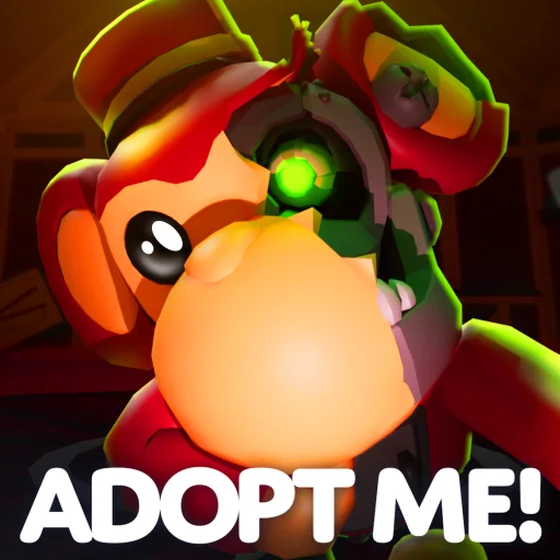
Adopt Me! looks like a calm game about taking care of pets at first glance. Over time, Neons, trading and events join in, so it is easy to get lost. This guide shows what to do step by step, what to focus on and what to avoid. Up to date as of 17 October 2026.
Items for Adopt Me are in the DzikShop storeStart with the Guide, not with guessing
The best thing for new players is the Guide. According to the game's wiki, it was added on 16 December 2025. You can find it on the right side of the screen, next to Dress Up, Shop and Friends. For each task you get Bucks or items, and each task can only be done once.
The tasks are in four tabs: Pets, Explore, House and Trading Hub. Some of them unlock only after you finish the earlier ones. Along the way you learn where everything is on Adoption Island: Nursery, School, Salon, Pizza Place, Hospital and other places.
Which rewards are worth grabbing first? These tasks give the most Bucks:
- Hatch an Egg: 355 Bucks
- Buy an Egg: 355 Bucks
- Complete a Task (Task Board): 355 Bucks
- Release a Pet: 130 Bucks
- Buy a Vehicle and Discover 10 Kinds of Pets: 80 Bucks each
The rest are mostly 5 Bucks each, but items often come with them: Starter Eggs, Tiny Age Potion, Standard Chest, sticker packs and furniture for your house.
Your first pet and the Starter Egg
You get a Starter Egg at the start. The wiki says that the egg from your first time in the game hatches only a Cat or a Dog. You can get more Starter Eggs in the Guide: one of them also gives a Cat or a Dog, and the others give an Ant or a Mouse. They are non-tradable, and to hatch them you need to complete three care tasks.
These are common pets and there is no need to worry about them. Their job is different: they teach you the rules of the game. Feed your pet, give it water, play with it and watch it grow.
How pets grow
Every pet goes through age stages: Newborn, Junior, Pre-Teen, Teen, Post-Teen and Full Grown. The Guide has separate tasks for each of them, so raising just one pet gives you quite a lot of Bucks and two more Starter Eggs.
The Pet Pen is useful for growing pets. The Guide asks you to place a pet there and then age it up right there. The reward for four pets in the Pet Pen is 55 Bucks.
One tip for the start: keep an eye on your pet's needs (Need), because they are what move its age forward. Tasks on the Task Board often send you to different places on the map, so you can take care of your pet's needs along the way.
Neon and Mega Neon: the main goal for a beginner
The Guide leads you to a Neon in a clear way. The task "Collect 4 of the Same Full Grown Pets" tells you exactly what to do: have four of the same pet at the Full Grown age. Only then do you visit the Neon Cave and make a Neon pet.
After that, it gets more interesting. There are the tasks "Collect 4 of the Same Full Grown Neon Pets" and "Make a Mega Neon Pet". The next stages give rewards too.
The RGB Reward Boxes from the Guide are a good thing. From the tasks in the Pets tab you can get up to five of these boxes per account, according to the wiki: one for a Crystal Egg, one for a Neon and three for a Mega Neon. Inside there can be, for example, an RGB Collar, and with a 4.5% chance a legendary pet: Chameleon or Squid.
A practical tip: pick one cheap, common species and collect copies of only that one. Spreading yourself across ten different pets is the easiest way to end up without four of the same.
Bucks, tasks and items
Bucks are the basic currency in the game. You use them to buy eggs, furniture, clothes and vehicles. Sources at the start:
- Guide tasks (one-time)
- Task Board: "Complete a Task" in the Guide gives 355 Bucks for the first task you finish
- working at the Pizza Place (25 Bucks the first time in the Guide)
- pet care tasks
The Guide also has a few buying tasks: "Buy an Egg", "Buy a Vehicle", "Buy a pet accessory" and "Buy a Sticker Pack".
Trading and the Trading Hub
For trading you need a Trade License from the Safety Hub. In the Guide you also have the tasks "Enter a Trade", "Complete a Trade" and "Spectate a Trade". It is best to watch the first trades from the side before you start your own.
There is also something new: the Trading Hub. The official blog describes it as a place you fly to in a balloon. You unlock the Trading Phone for free in the Guide: you play for two hours, get a Trade License at the Safety Hub and have your first Neon pet. Posting an offer costs 100 Bucks, and you can have two active at the same time. One unofficial website says that a third offer slot costs 49 Robux, but the official source does not confirm this.
Stick to simple rules when trading. Offer only what you are ready to give up for good. Never give anyone your password and never click links from strangers. You can read more about this in the guide to scams with Roblox items and the one about securing your account.
Halloween: what is going on now
The Halloween Event 2026 started on 3 October and lasts until 31 October 2026. New places appeared: Manor, Hotel, Crypt and Carnival. In the event you earn Candy Corn and trade it for pets and items. On 16 October the Stitches' Spotlight update came out, with a new minigame in the Carnival.
For a beginner this is a good time to collect Candy Corn, but not at the cost of the Guide. Event pets are limited, so first decide whether you really want a specific pet. Some items in the event cost Robux, but everything described above can be done without them.
The most common beginner mistakes
- Ignoring the Guide. It gives free Bucks, eggs and furniture, and many players never even look at it.
- Collecting single pets. A Neon needs four of the same, so it is better to have one species in four copies than four different ones.
- Spending Bucks on everything. First get what the Guide rewards, and then what you like.
- Trading without a Trade License and without knowing what you are giving away. There is no undo in trading.
- Giving out account details for "free pets". No real in-game reward needs that.
- Chasing the event at the cost of the basics. The event ends on 31 October, but the Guide stays.
Parents can also check the guide to parental controls on Roblox if they want to set spending and chat limits.
To sum up
The plan for the first days is simple: do the Guide, raise one pet to Full Grown, collect four copies of one species and make a Neon. Only then think about trading and the Trading Hub.
You can see the full list of items available at DzikShop in the shop.
Frequently asked questions
Where should I start in Adopt Me!?
Start with the Guide tab on the right side of the screen. It walks you through the game task by task and gives you Bucks and items, including extra Starter Eggs and RGB Reward Boxes.
How do I make a Neon pet in Adopt Me!?
You need four of the same pet at the Full Grown age. That is why it is best to collect one species at the start, instead of one pet each from different eggs.
How do I unlock the Trading Hub in Adopt Me!?
You need to play for 2 hours, get a Trade License at the Safety Hub and have your first Neon pet. Then you can claim the free Trading Hub Phone in the Guide.
Can a Starter Egg be traded with another player?
No, the Starter Egg is non-tradable. It hatches a common pet: Cat, Dog, Ant or Mouse, depending on where you got the egg.
Do I have to pay with Robux to progress in Adopt Me!?
No. The Guide, Task Board tasks and taking care of pets give you Bucks without spending any Robux. Robux is only an option for people who want to speed something up.
Sources
DzikShop is not affiliated with Roblox Corporation or the developers of the games described. Roblox and game names are trademarks of their owners. Game information reflects the state on the day the post was published or updated, and games change often.
Read next
All posts
Adopt Me Halloween 2026: all pets, Candy Corn prices and minigames (October 2026)
The Halloween event in Adopt Me runs until 31 October. Full pet list with Candy Corn prices, Poltergeist Box, Crypt, Hauntlet 2 and Stitches' Spotlight. As of 19 October 2026.
Adopt Me! Neon and Mega Neon: Multipliers and How to Get Them (2026)
Adopt Me! has no mutations with multipliers, but it does have two pet variants: Neon and Mega Neon. Find out how to make them, how much work it takes and how players value them (as of 20 October 2026).
The Veil beginner's guide: what the game is and how to start (October 2026)
The Veil is a Roblox RPG by BlackstarDW Studios with a maze, monster hordes and PvP. We explain what it is about and give you a plan for your first hours.